
Raspberry Pi 4 · SCD41 · Docker
Air You Dying For
CO₂, temperature, and humidity monitoring for your home — runs in Docker, exposes Prometheus metrics.
CO₂, temperature, and humidity monitoring for your home — runs in Docker, exposes Prometheus metrics.
The SCD41 reads every 2 seconds. All three are Prometheus gauges, ready to scrape.
co2_ppm
The headline number. Outdoor air sits around 420 ppm. Stuffy rooms climb fast.
temperature_celsius
Reported in °C. Mount the sensor away from the Pi — the board adds heat.
humidity_percent
Relative humidity as a percentage. The comfort sweet spot is 30 – 60 %.
Included dashboard JSON — import it straight into Grafana. Stats, sparklines, and threshold lines out of the box.
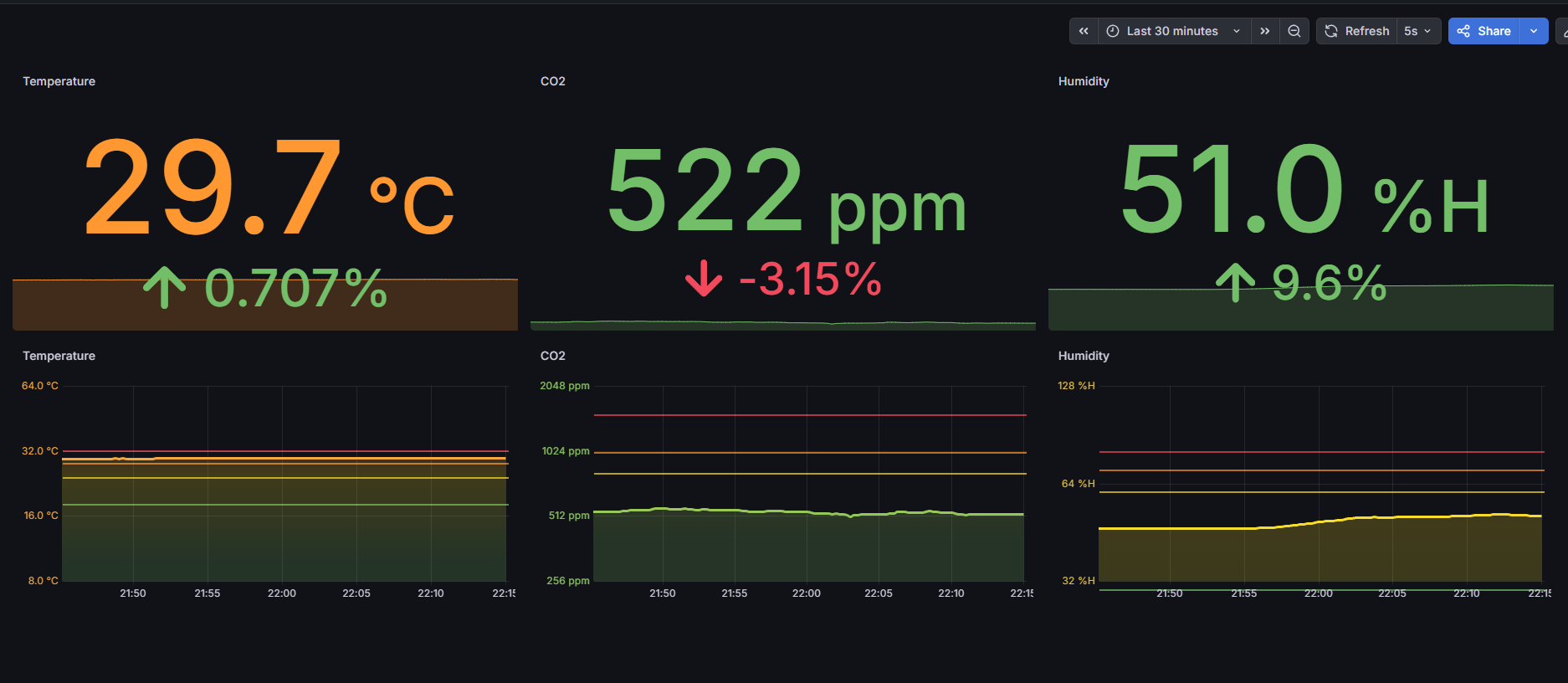
Live data — 29.7 °C · 522 ppm CO₂ · 51.0 % humidity · 5 s refresh
Four components, zero cloud dependency.
Enable I²C on the Pi, verify the i2c group GID, then run.
# Enable I2C
sudo raspi-config
# Interface Options → I2C → Enable

# Verify i2c group GID
getent group i2c | cut -d: -f3
# Update group_add in docker-compose.yml
# Pull from GHCR
docker pull ghcr.io/just5ky/air-you-dying-for:main

# Or build and run locally
docker compose up -d